A cluttered desk can lead to a cluttered mind. This comprehensive guide provides practical strategies for transforming your workspace into a highly organized and efficient environment. From understanding core principles to implementing effective storage solutions, we’ll equip you with the knowledge and tools to achieve a truly organized desk, fostering a more productive and focused work style.
This guide delves into the key elements of desk organization, including methods like the KonMari method and 5S, essential supplies, categorizing items, implementing storage solutions, maintaining order, and specific organization strategies for various desk items. We’ll also explore how to design an ergonomic and personalized desk layout.
Desk Organization Principles
Effective desk organization is crucial for maintaining focus, productivity, and a positive work environment. A well-organized workspace minimizes distractions and allows for efficient task management. This section delves into various desk organization principles, demonstrating how to implement them in different settings.A structured approach to desk organization not only improves immediate efficiency but also fosters a sense of control and calm, which contributes to long-term well-being.
Understanding the principles behind these methods enables individuals to customize their strategies to meet their specific needs and preferences.
KonMari Method Explained
The KonMari method, popularized by Marie Kondo, focuses on decluttering and organizing belongings based on their “spark joy” factor. This approach prioritizes keeping only items that genuinely bring happiness and discarding those that no longer serve a purpose.
- The KonMari method emphasizes a mindful approach to decluttering. Individuals are encouraged to go through their belongings, one category at a time (clothes, books, papers, etc.), and retain only items that evoke a sense of joy or usefulness. This process involves carefully considering each item’s impact on one’s well-being.
- Applying this method to a home office desk, for instance, involves evaluating each item to determine if it sparks joy or contributes to daily work tasks. Items that do not meet this criteria are either donated, sold, or discarded.
- For a student desk, this involves considering each item for its relevance to academic pursuits. Unnecessary items are discarded, freeing up space for essential study materials.
- The KonMari method’s strength lies in its emphasis on emotional connection and mindfulness. Its weakness is the potential for subjective interpretations of “sparking joy,” leading to variations in results.
5S Method for Workplace Organization
The 5S method is a workplace organization system that focuses on a systematic approach to improve efficiency and reduce waste. It comprises five steps: Sort, Set in order, Shine, Standardize, and Sustain.
- The 5S method’s fundamental principle is the establishment of a clean, orderly, and efficient workspace. This is accomplished through a methodical application of the five steps.
- Applying the 5S method to a professional desk involves systematically evaluating each item for its relevance and necessity. Unnecessary items are removed, and remaining items are arranged for easy access.
- The method also emphasizes maintaining the organized state by establishing clear procedures and guidelines. This promotes long-term effectiveness and minimizes the need for repeated decluttering.
- The 5S method’s strength lies in its structured approach. Its weakness is the potential for rigidity, requiring a considerable initial investment of time and effort.
Comparison of Organization Methods
Different methods offer unique strengths and weaknesses. The KonMari method’s emotional connection can foster a sense of satisfaction but might be less efficient for purely practical purposes. The 5S method’s structured approach is ideal for maintaining order in professional settings but may not resonate with individuals seeking a more flexible and emotional approach.
| Organization Method | Strengths | Weaknesses |
|---|---|---|
| KonMari | Focuses on emotional connection; fosters mindfulness; promotes a sense of satisfaction | Subjectivity in “sparking joy”; can be time-consuming; might not be suitable for all individuals |
| 5S | Structured and systematic approach; promotes efficiency; easy to maintain order | Potentially rigid; may require significant initial investment of time and effort |
Implementation Steps: KonMari Method
Implementing the KonMari method involves a structured sequence of steps.
| Step | Action |
|---|---|
| 1 | Declutter one category of items at a time |
| 2 | Hold each item and ask yourself if it “sparks joy” |
| 3 | Keep items that spark joy; discard items that do not |
| 4 | Arrange remaining items in a way that is aesthetically pleasing and functional |
| 5 | Maintain the new organization |
Essential Supplies and Tools
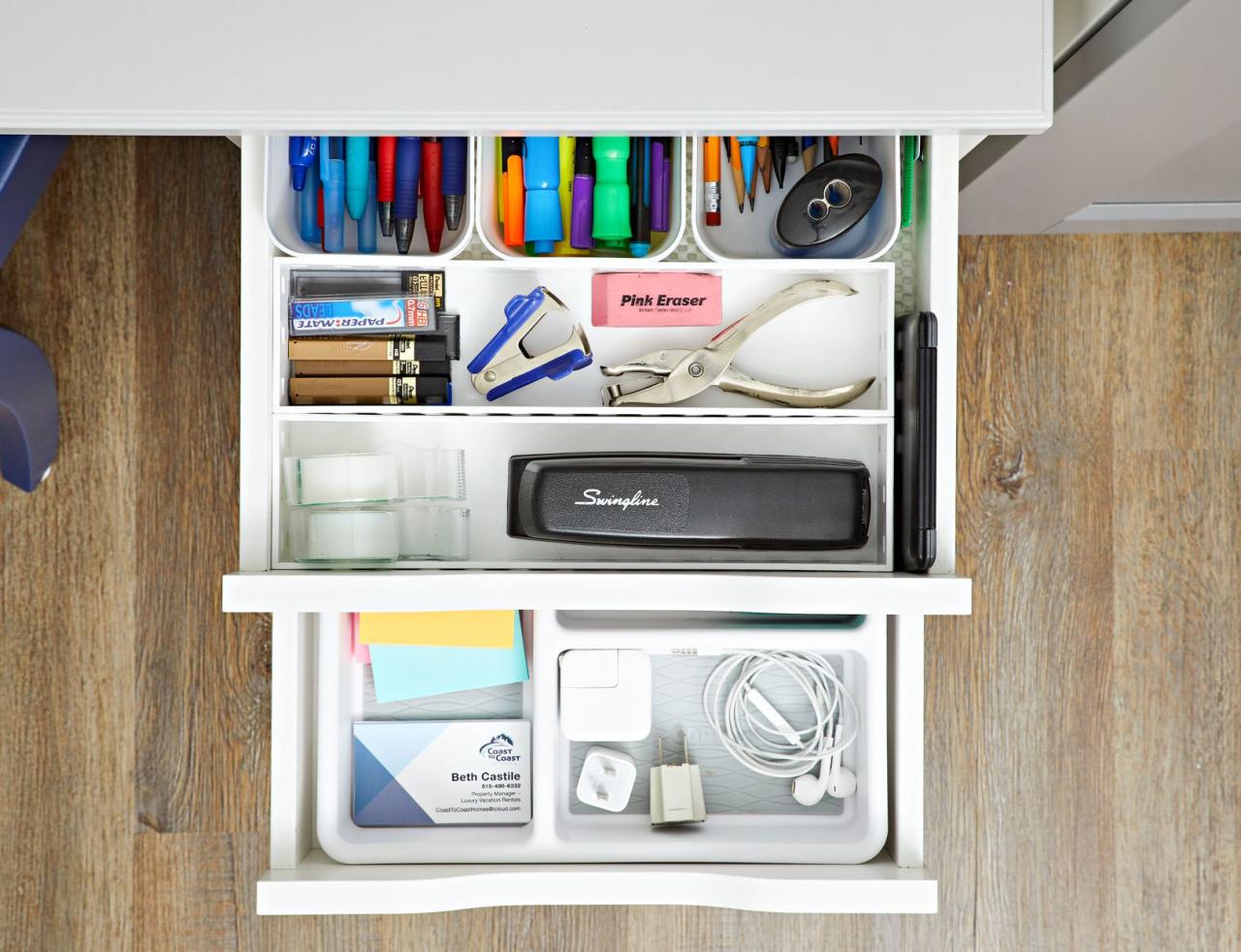
A well-organized desk is not just aesthetically pleasing; it significantly impacts productivity and efficiency. Essential supplies and tools are the backbone of this organization. Choosing the right tools and containers allows for easy access to items, reducing wasted time searching for necessary materials.The selection of organizing tools and supplies should be tailored to the specific needs and layout of the workspace.
Consider the frequency of use for various items and the type of work performed. This proactive approach will lead to a workspace that is both efficient and satisfying.
Essential Supplies
Essential supplies are crucial for maintaining a functional and organized desk environment. These supplies facilitate the smooth workflow and help prevent clutter. Proper storage of these items is paramount for efficient work.
- File Folders and Dividers: These are indispensable for categorizing and storing documents. They maintain order and allow for quick retrieval of specific files. Different colors or labels can further enhance the system for quick identification.
- Pens, Pencils, and Highlighters: A well-stocked collection of writing instruments is essential for any desk. Keep them organized in a pen holder or container for quick access.
- Paperclips, Staples, and Glue: These small but crucial items are often scattered if not properly stored. Dedicated storage solutions, like small boxes or trays, keep them readily available.
- Notepads and Sticky Notes: Notepads and sticky notes are useful for jotting down ideas, reminders, or quick notes. Choose different sizes and colors to cater to different needs.
Storage Solutions for Desk Items
Selecting the right storage solutions is key to maintaining a well-organized desk. The choice should be based on the desk’s size and layout, as well as the specific items needing storage.
| Item | Storage Solution | Suitability |
|---|---|---|
| Documents | File folders, hanging file folders, drawer organizers | Excellent for storing and sorting documents, especially in a standard desk layout. |
| Pens, pencils, and highlighters | Pen holders, pencil cups, or small containers | Ideal for keeping writing instruments within easy reach and preventing them from rolling off the desk. |
| Paperclips, staples, and glue | Small boxes, trays, or containers with dividers | Compact storage solutions to prevent these small items from scattering. |
| Notepads and sticky notes | Small drawers, containers, or a dedicated notepad holder | Easily accessible storage that keeps these items from being misplaced. |
Choosing the Right Storage Solutions
The optimal storage solution depends heavily on the desk’s dimensions and the layout. A large desk can accommodate multiple storage solutions, whereas a smaller desk requires a more compact and strategic approach. Consider the items’ size, frequency of use, and how they’ll fit into the existing space.
- Small Desks: Utilize vertical storage solutions, such as drawer organizers or stackable containers. Maximize vertical space to avoid cluttering the desktop.
- Large Desks: Consider wider containers or multiple organizers. A well-defined system with labeled compartments will make the space even more efficient.
Examples of Storage Containers
Various storage containers cater to different needs. Choosing the right container depends on the size and type of items being stored.
- Drawer Organizers: These dividers are ideal for organizing items within drawers. They maintain order and allow for easy retrieval of specific items.
- Clear Plastic Containers: These containers provide visibility, making it easy to locate items. They are excellent for storing pens, pencils, or other small office supplies.
- Stackable Bins: These bins are useful for storing various items. They are perfect for organizing papers or documents, and are ideal for a larger desk setup.
- Decorative Boxes: These boxes add a touch of style to the workspace while providing organized storage. They are useful for storing smaller items like paperclips or sticky notes.
Categorizing Desk Items
Effective desk organization hinges on categorizing items logically. This approach simplifies retrieval, minimizes clutter, and enhances productivity. By grouping similar items together, you create a readily accessible workspace, reducing the time spent searching for specific tools or documents. This method fosters a more organized and efficient workflow.
Importance of Categorization
Categorizing desk items is crucial for efficient retrieval and reduced search time. A well-defined system ensures that essential items are easily located, minimizing disruptions to workflow. This systematic approach allows for quick access to specific materials, boosting overall productivity and reducing frustration. Furthermore, it cultivates a more organized and aesthetically pleasing workspace.
Categories for Desk Items
Desk organization benefits significantly from a well-structured categorization system. This system facilitates efficient retrieval and reduces the time spent searching for specific items. Common categories include papers, documents, stationery, electronics, and personal items. Effective categorization ensures quick access to required materials, thereby streamlining workflow and minimizing distractions.
Organizing Items Within Categories
Organizing items within each category demands a methodical approach. This methodical process facilitates efficient retrieval and reduces search time. For instance, papers should be sorted by project, client, or date. Documents can be organized by type (contracts, invoices, reports) or alphabetically by subject. Stationery should be grouped by type (pens, pencils, erasers) and kept in designated containers.
Electronics should be stored in a dedicated area, and personal items should be kept in a specific drawer or designated area.
Table of Categories and Subcategories
| Category | Subcategories | Examples |
|---|---|---|
| Papers | Projects, Clients, Dates, Tasks | Project “Alpha,” Client “Beta,” October 2023 invoices, “Quarterly Report” |
| Documents | Contracts, Invoices, Reports, Legal | Lease Agreements, Client Invoices, Financial Reports, Legal Notices |
| Stationery | Pens, Pencils, Erasers, Highlighters, Paperclips | Ballpoint pens, mechanical pencils, eraser, colored highlighters, binder clips |
| Electronics | Phones, Laptops, Tablets, Chargers | Smartphones, Laptops, Tablets, USB-C chargers, Ethernet cables |
| Personal Items | Keys, Wallet, Medications, Small Tools | House keys, wallet, prescription medication, small tools (screwdriver, pliers) |
Implementing Storage Solutions
A well-organized desk relies heavily on effective storage solutions. Properly chosen and implemented storage solutions not only enhance the aesthetic appeal of the workspace but also significantly improve productivity by facilitating quick access to essential items. This section delves into various storage options, guiding you in selecting the ideal solutions for your specific needs and workspace.Implementing a robust storage system involves considering the size of your desk, the types of items you frequently use, and the overall aesthetic you wish to maintain.
Careful planning is key to optimizing space and maximizing efficiency.
Drawer Organization
Drawers are versatile storage solutions for smaller items and frequently used supplies. Organizing drawers effectively is crucial for maintaining a clutter-free workspace.
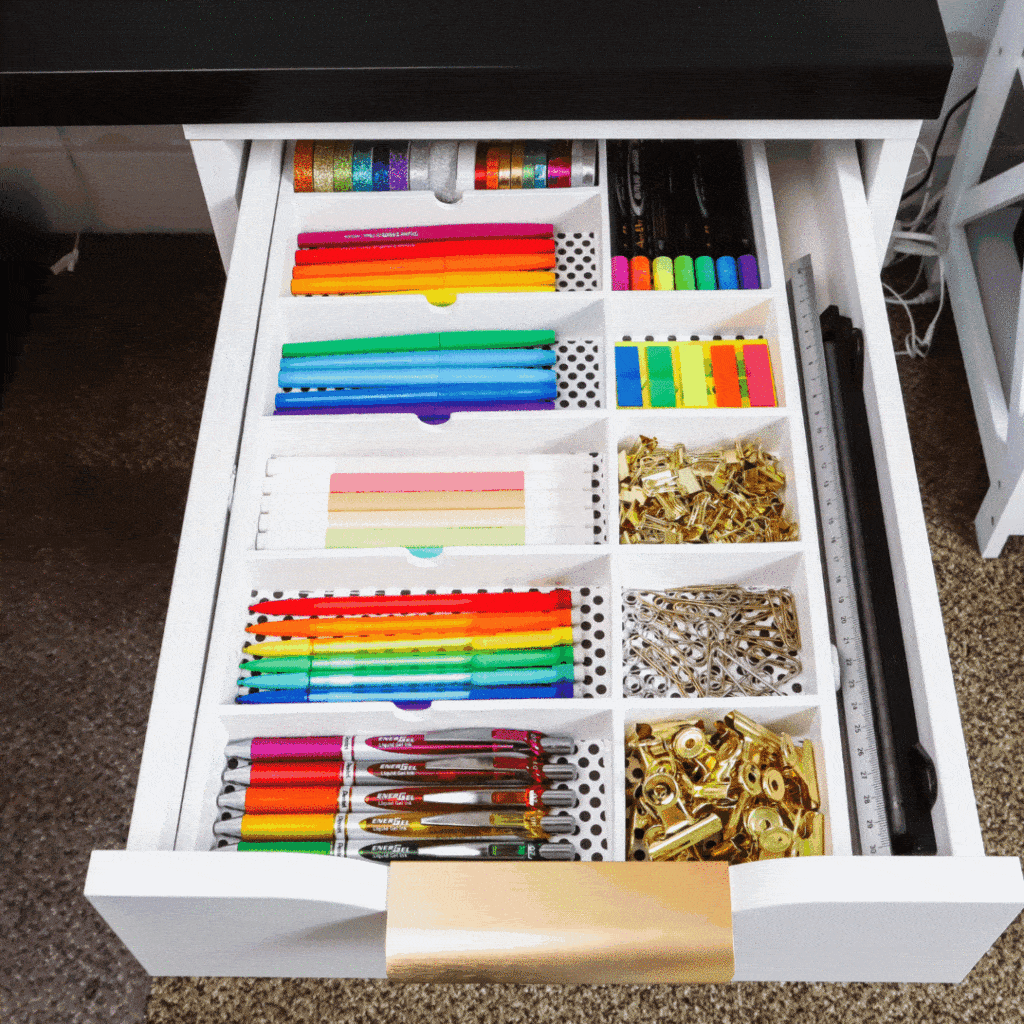
- Dividers: Using dividers within drawers allows for the segregation of items by type or category. This enables quick retrieval and prevents items from becoming jumbled. For example, using different colored dividers for different types of stationery (pens, pencils, erasers) is a simple and effective approach. This approach not only improves visual organization but also aids in locating specific items rapidly.
- Sorting by frequency of use: Place frequently used items in the front of the drawer and less frequently used items towards the back. This prioritizes accessibility.
- Stacking and Grouping: Group similar items together and stack them neatly within the drawer to maintain order. For instance, storing different types of clips together in a section, separated by dividers, is an efficient approach.
Shelf and Tray Organization
Shelves and trays provide an excellent way to store larger items, documents, and stationary.
- Shelving: Shelving units provide open storage solutions. These are best for items you want to view and access quickly, such as books, binders, and files. Consider the height and depth of shelves when arranging items to maintain a visually appealing and functional workspace.
- Trays: Trays are excellent for grouping similar items. They are visually appealing and aid in maintaining a clean and organized workspace. Use different sizes and colors of trays to group items like paperclips, scissors, and other small office tools. For example, using a tray for storing sticky notes and another for pens creates a clear and efficient organization system.
Optimizing Storage for Small Desks
Small desks often require creative storage solutions.
- Vertical Storage: Utilize vertical space effectively by stacking items or using tiered shelving units. Vertical storage is an excellent approach to maximizing space in limited areas. Consider using stackable containers or boxes for storage to make the most of vertical space.
- Multi-functional Furniture: Opt for furniture with integrated storage, such as desks with drawers or shelves built-in. This integrated approach eliminates the need for separate storage units and maximizes available space.
- Modular Systems: Employ modular storage systems to adapt to your specific needs and available space. These systems can be customized to meet your requirements. For instance, a modular system with drawers and shelves allows for adaptable storage solutions.
Creating a System for Easy Item Retrieval
A well-designed system ensures items are easily located.
- Labeling: Clearly labeling storage containers and shelves is essential for quick and efficient item retrieval. This is a crucial element of an effective system.
- Color-Coding: Color-coding items and storage containers can aid in organization and identification. Using a color scheme for specific categories of items can significantly enhance the organization.
- Designated Spaces: Designate specific locations for each item or category. This approach helps maintain consistency and clarity in the organization of your workspace.
Maintaining a Organized Desk
Maintaining a consistently organized desk is not a one-time effort but an ongoing process. A well-organized workspace fosters efficiency and reduces stress. Regular maintenance ensures your desk remains a productive hub, free from distractions and clutter. This section Artikels strategies for sustaining order and preventing the inevitable accumulation of items.
Establishing a Routine for Desk Maintenance
A routine is crucial for maintaining a tidy desk. A daily or weekly schedule for organizing your workspace ensures consistent upkeep, preventing the build-up of clutter. This routine could include tasks such as clearing your desk at the end of each workday, sorting incoming mail, and categorizing paperwork. A dedicated time slot, even if brief, will help establish the habit of maintaining order.
Preventing Clutter Accumulation
Preventing clutter from accumulating is more effective than reacting to it. Proactive measures, such as designated areas for incoming items and a clear system for discarding or filing materials, minimize the chance of clutter. This involves regularly reviewing your desk’s contents, identifying unnecessary items, and implementing a strategy for managing incoming paperwork, supplies, and other materials. Regularly emptying your inbox and ensuring a designated area for storage are essential to avoid desk overflow.
Handling Incoming Items
Incoming items, such as mail, reports, and project materials, can quickly disrupt an organized desk. A clear system for managing these items is essential. A dedicated inbox or tray for incoming materials will prevent them from scattering across the workspace. These items should be categorized, processed, and either filed, discarded, or assigned to a specific project folder immediately.
A labeled storage system for each category is helpful to avoid losing track of materials.
Regularly Reviewing and Adjusting the Organization System
Your organizational system should not be static. Regular reviews are necessary to adapt to changing needs and workflows. This involves evaluating your current system’s effectiveness and identifying areas for improvement. For example, if you find certain categories are accumulating more items than others, consider adjusting your storage solutions or categorizing scheme. Assess the efficacy of your filing system and adjust as needed to ensure a smooth workflow and prevent clutter.
Organizing Specific Desk Items
A well-organized desk extends beyond the general principles of storage; it involves a thoughtful approach to managing specific types of items. This section delves into strategies for effectively organizing papers, documents, stationery, electronics, and personal items, ensuring a functional and aesthetically pleasing workspace.Careful organization of these items streamlines workflows and reduces stress. This structured approach allows for quick access to needed materials, minimizing wasted time searching for specific documents or tools.
Organizing Papers and Documents
Effective paper management is crucial for a productive workspace. A disorganized pile of papers can quickly overwhelm the desk and lead to lost documents. Implementing a systematic approach to managing paper clutter is essential.
- File Folders and Trays: Using file folders and trays for sorting documents by project, client, or date creates a structured system for retrieval. Labels are essential for quick identification.
- Dedicated Storage for Pending Tasks: Designate a specific area for papers requiring action. This could be a tray, a designated section of a file folder, or a digital task management system.
- Regular Review and Purge: Periodically review papers and documents, discarding those no longer needed. This prevents the accumulation of unnecessary paperwork and maintains a clear workspace.
Organizing Documents and Files for Easy Retrieval
Efficiently managing documents is paramount for easy retrieval. A well-organized system minimizes the time spent searching for specific information.
- Consistent Naming Conventions: Establish a consistent naming convention for files and folders. Using clear, descriptive names will help locate files quickly. For instance, using “Project Alpha – Proposal.docx” is better than “Proposal.docx.”
- Categorization by Project or Client: Organize files by project or client to group related documents. This ensures that all necessary information is readily accessible.
- Digital Document Management Systems: Leveraging digital platforms for document management offers advantages in terms of searchability, version control, and collaborative access. Cloud storage and specialized software are examples of these systems.
Arranging and Storing Stationery
Efficient storage of stationery enhances productivity and minimizes clutter. A well-organized stationery area allows for easy access to commonly used tools.
- Dedicated Stationery Drawers or Trays: Designated areas for pens, pencils, erasers, and other stationery items will prevent them from becoming scattered. Use drawers or trays to organize and keep them contained.
- Vertical Storage Solutions: Vertical storage solutions, like pen holders or pencil cups, are excellent for maximizing space and keeping items easily visible.
- Grouping by Type: Group stationery items by type (pens, pencils, highlighters) for quick location. This is particularly useful for frequently used items.
Arranging and Storing Electronic Devices and Cables
Efficient management of electronic devices and cables is vital for a productive and organized workspace. A cluttered area of cables can be visually distracting and can potentially pose safety risks.
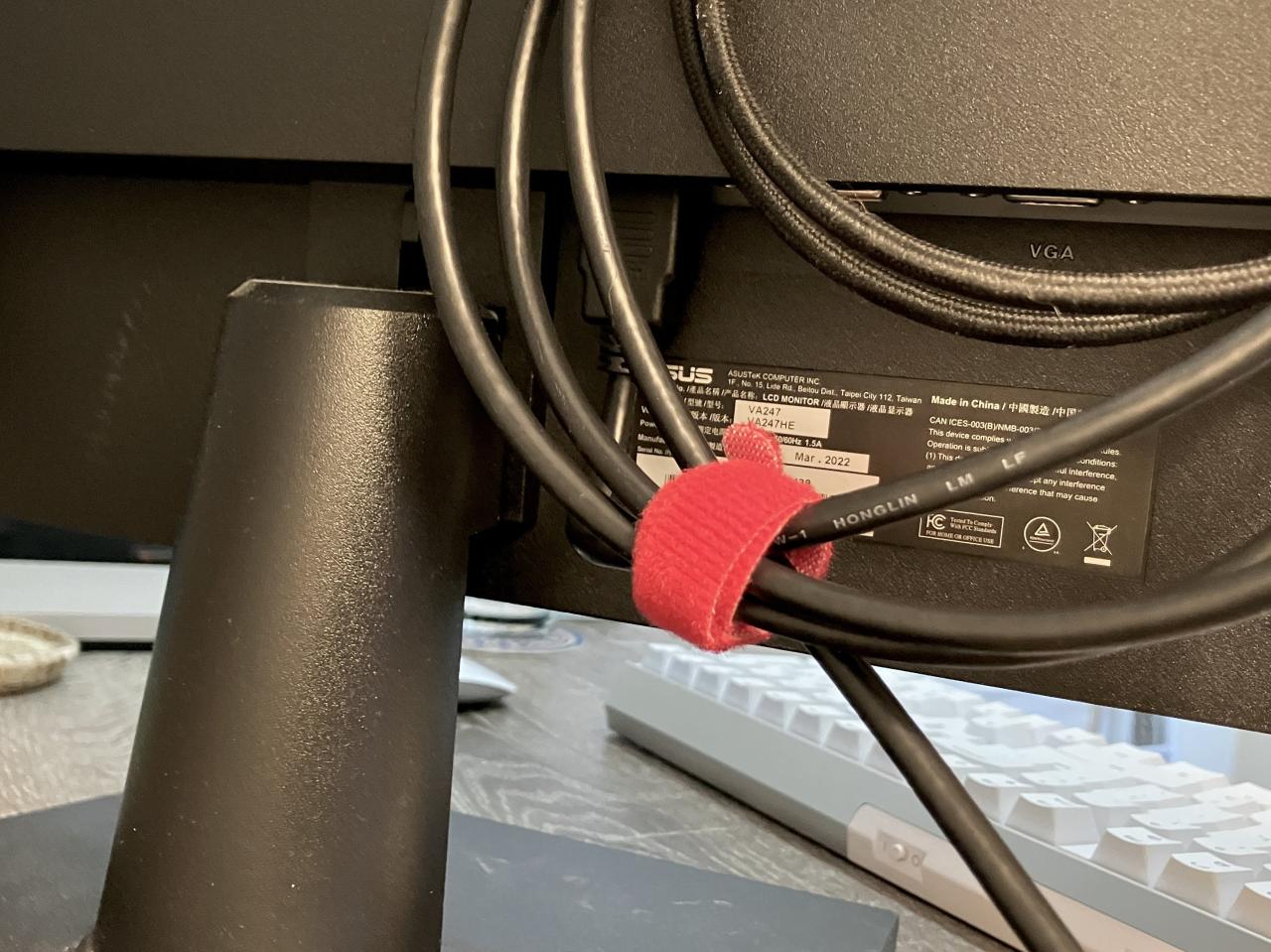
- Cable Management Solutions: Use cable ties, cable clips, or cable organizers to keep cables tidy and prevent tangles. These solutions help to maintain a clean and organized workspace.
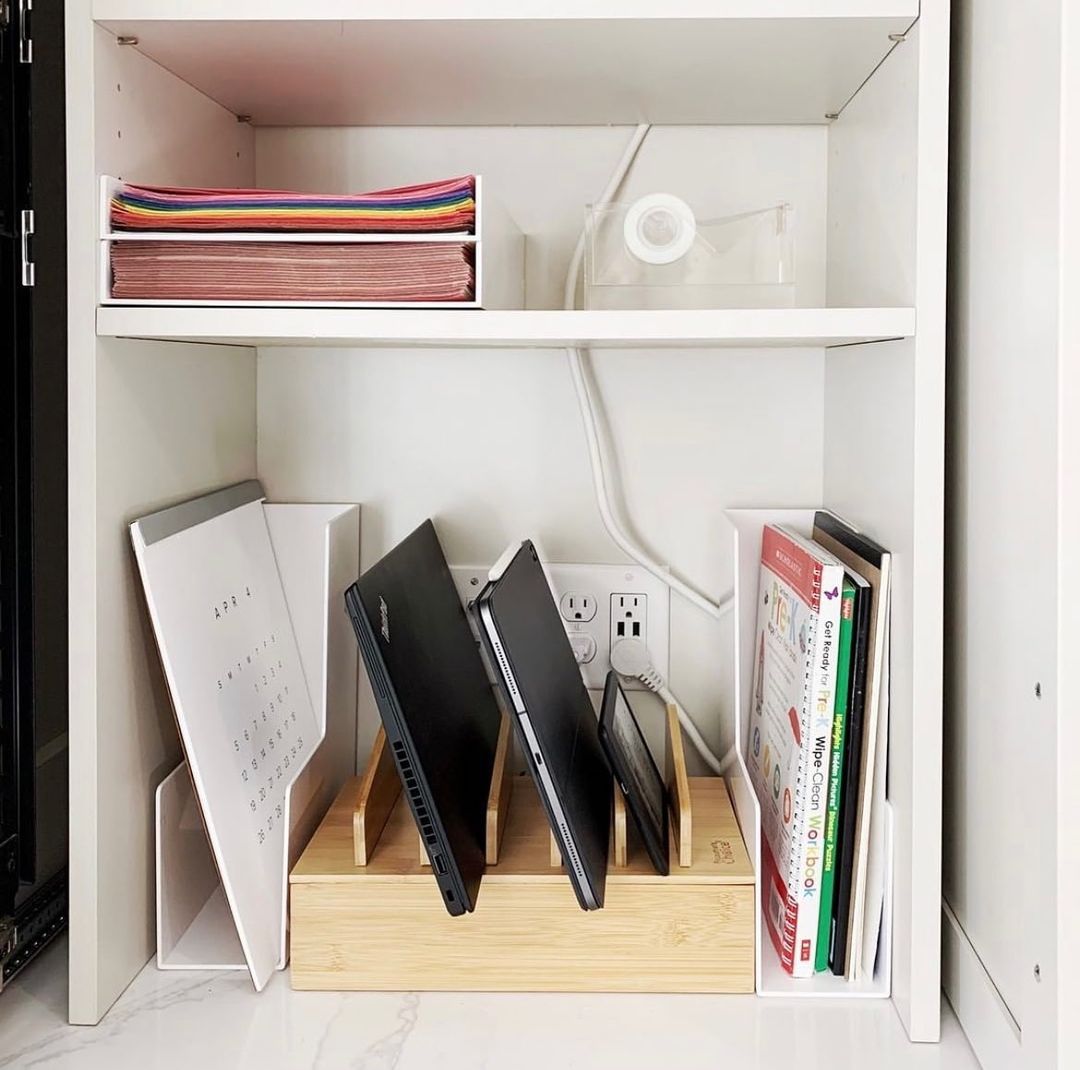
- Dedicated Charging Stations: Establish a designated area for charging electronic devices. This minimizes the risk of tangled cables and ensures that devices are readily accessible.
- Storing Devices in Designated Areas: Keep electronic devices in designated areas or containers to prevent them from getting misplaced. This helps maintain a clear and uncluttered work area.
Organizing Personal Items
Personal items, such as books, personal documents, or decorative items, should be organized in a way that complements the workspace’s aesthetic.
- Designated Storage for Personal Items: Maintain designated areas for personal items like books or personal mementos. This avoids distractions and maintains a clear workspace.
- Aesthetic Considerations: Arrange personal items in a way that enhances the workspace’s aesthetics and creates a welcoming environment.
- Minimizing Clutter: Keep personal items to a minimum to prevent visual clutter and maintain a clear workspace. Focus on items that contribute to the overall work environment.
Desk Layout and Design
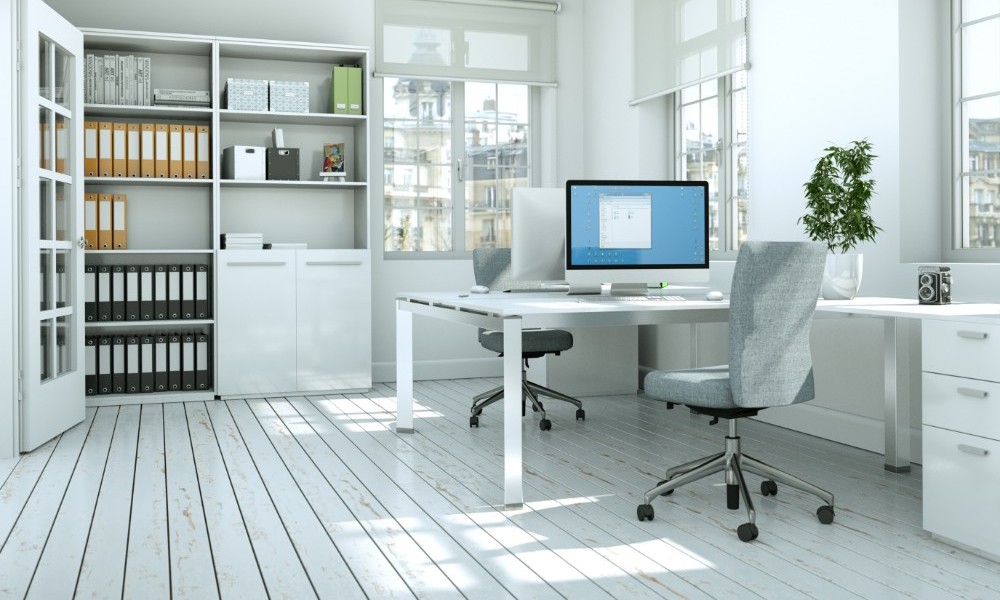
A well-designed desk layout is crucial for optimal workflow and productivity. It impacts not only how efficiently you complete tasks but also your overall comfort and well-being throughout the workday. Careful consideration of ergonomics and customization for different tasks are essential aspects of creating a functional and personalized workspace.Designing a desk layout that seamlessly integrates your needs and workflow is paramount to a productive workspace.
This includes understanding your work style, the types of tasks you perform, and the frequency of those tasks. By considering these factors, you can create a layout that facilitates efficient task completion and minimizes distractions.
Ergonomic Principles for a Well-Designed Desk
Ergonomic principles are fundamental to a comfortable and productive workspace. Prioritizing proper posture and minimizing strain on the body helps prevent discomfort and injuries over time. A well-designed desk should support the natural curvature of the spine and allow for comfortable arm and wrist positioning. Adjustable components, such as chairs and monitor mounts, are crucial for accommodating individual needs.
- Proper posture is achieved by maintaining a neutral spine position, keeping the back straight and shoulders relaxed. This reduces the risk of back pain and other musculoskeletal issues.
- Maintaining a suitable distance between the eyes and the monitor is essential. This reduces eye strain and fatigue. A good rule of thumb is to keep the top of the monitor at or slightly below eye level.
- Maintaining a suitable distance between the keyboard and the mouse, and ensuring the keyboard is at a comfortable height for typing, are crucial for wrist and hand comfort. Using wrist rests can further enhance comfort.
Customizing the Desk Layout for Different Tasks
A versatile desk layout allows for adapting to various tasks. A consistent layout for routine tasks can streamline workflow, while flexible arrangements for occasional tasks can accommodate changes in the work process. Consider the frequency of different tasks and the tools needed to complete them.
- For tasks requiring extensive writing, a dedicated writing area with ample space for notepads and pens is recommended.
- For tasks involving detailed analysis, consider arranging the desk to maximize visibility of data and documents.
- Tasks requiring frequent phone calls or video conferences might necessitate a designated space for a phone or webcam, alongside a comfortable and quiet workspace.
Examples of Different Desk Layouts for Various Needs
Different desk layouts cater to varying needs and preferences. A simple layout, suitable for minimal distractions, might focus on a central workspace with a few essential items. A more complex layout might incorporate multiple work areas for diverse tasks.
| Desk Layout Type | Description | Suitable for |
|---|---|---|
| Simple Layout | Minimalist design with a central work area and essential supplies. | Individuals who prioritize a clutter-free workspace and focus on a single task at a time. |
| Modular Layout | Flexible layout with movable components and adjustable sections to accommodate varying task demands. | Individuals who frequently switch between different types of tasks. |
| Multi-Zone Layout | A dedicated area for each type of task, such as a writing area, a data analysis zone, and a communication zone. | Individuals who manage various projects or tasks simultaneously. |
Creating a Custom Desk Layout Diagram
A visual representation of your desk layout can help in planning and implementation. A diagram provides a clear roadmap for the physical arrangement of items and ensures the workspace is optimized for your needs.
- Using graph paper or digital drawing tools, sketch out the dimensions of your desk.
- Identify the key components and areas for different tasks. Label each section clearly.
- Place items on the diagram based on their frequency of use. High-frequency items should be placed in easily accessible locations.
- Mark areas for storage solutions and incorporate ergonomic considerations into the design.
Visual Aids and Illustrations
Visual aids play a crucial role in understanding and implementing desk organization strategies. Effective illustrations can clarify complex concepts, making the process of organizing a workspace more accessible and engaging. They can also inspire and motivate individuals by showcasing visually appealing and practical examples of organized workspaces.
Creating Infographics for Organizing the Desk
Infographics are valuable tools for presenting desk organization information in a concise and visually appealing manner. They condense complex data and concepts into easily digestible formats, making the process of understanding and implementing organization techniques more accessible. Clear visuals, concise text, and a consistent design are key to creating impactful infographics.
- Use a consistent color scheme: Choose colors that complement each other and are visually appealing. Avoid using too many colors, as this can make the infographic cluttered and confusing. For example, a color scheme using shades of blue for categories like documents and shades of green for categories like stationery can provide a clear visual distinction.
- Employ clear and concise labels: Use concise and easy-to-understand labels for each element within the infographic. Avoid overly technical terms and instead opt for user-friendly language that accurately conveys the message. For example, instead of “file management system,” use “organized filing system.”
- Incorporate icons and symbols: Using icons and symbols can enhance the visual appeal of the infographic and aid in quickly conveying the intended message. For example, a file folder icon can represent the storage of documents, while a pen icon could represent writing utensils.
- Maintain a logical flow: Organize the infographic elements in a logical sequence, ensuring that the information flows smoothly from one section to the next. For example, a well-structured infographic would start with general principles and then move on to specific organization strategies.
Diagram of a Well-Organized Desk Layout
A well-designed diagram is instrumental in visualizing the optimal layout of a desk for efficient work. It showcases the placement of various items, demonstrating how different areas can be allocated for specific purposes. This aids in understanding the relationship between different components of a workspace.
A well-organized desk layout should be designed based on the user’s workflow. A diagram illustrating a well-organized desk layout might include a designated area for documents, another for writing instruments, and specific areas for storage of frequently used items.
For example, the diagram might show a dedicated space for important documents in a drawer or on a shelf, a central area for frequently used stationery items, and a dedicated space for electronics such as computers or tablets. This layout promotes efficiency and reduces the time spent searching for items.
Examples of Infographics for Different Organization Systems
Examples of infographics showcasing various organization systems can include a detailed visual representation of a filing system for documents, illustrating different methods of categorizing files based on project, date, or client. Another example could be an infographic highlighting an efficient system for storing stationery items, categorizing them by type and color.
- File organization: A sample infographic could display different color-coded folders for different project types, each with a concise description and a visual representation of how to arrange the files within the folder.
- Stationery organization: An infographic could visually illustrate how to arrange pens, pencils, and other writing utensils based on their use. The visual could include a dedicated area for pens, a section for pencils, and another section for erasers.
Detailed Descriptions for Illustrations Showing Effective Storage Solutions
Illustrations highlighting effective storage solutions provide a clear understanding of how different containers and techniques can optimize desk space. Illustrations can showcase the use of drawer dividers, stackable containers, or vertical organizers to maximize space and prevent clutter.
- Drawer dividers: An illustration can depict how drawer dividers can be used to separate items into specific categories. This can be exemplified by using different colors for different categories. For instance, one section of the drawer might be for pens, another for pencils, and a third for paper clips. This allows for quick retrieval of items.
- Stackable containers: Illustrations showcasing stackable containers for storing stationery items or other accessories can illustrate how these containers can be used to efficiently organize items and utilize vertical space. This visual aid would demonstrate how these containers can be used to keep items from being scattered.
- Vertical organizers: An illustration showing the use of vertical organizers for organizing documents, supplies, and other desk items can visually demonstrate how these can maximize space and maintain a clutter-free environment. The illustration would display how these organizers can be used to store items by category, ensuring accessibility and easy retrieval.
Ending Remarks
In conclusion, organizing your desk is not just about aesthetics; it’s a powerful tool for enhancing productivity and mental clarity. By implementing the strategies Artikeld in this guide, you’ll not only create a visually appealing workspace but also a functional environment that supports your workflow and promotes a more focused and productive you. Remember, consistency and regular review are crucial to maintaining this organized state.